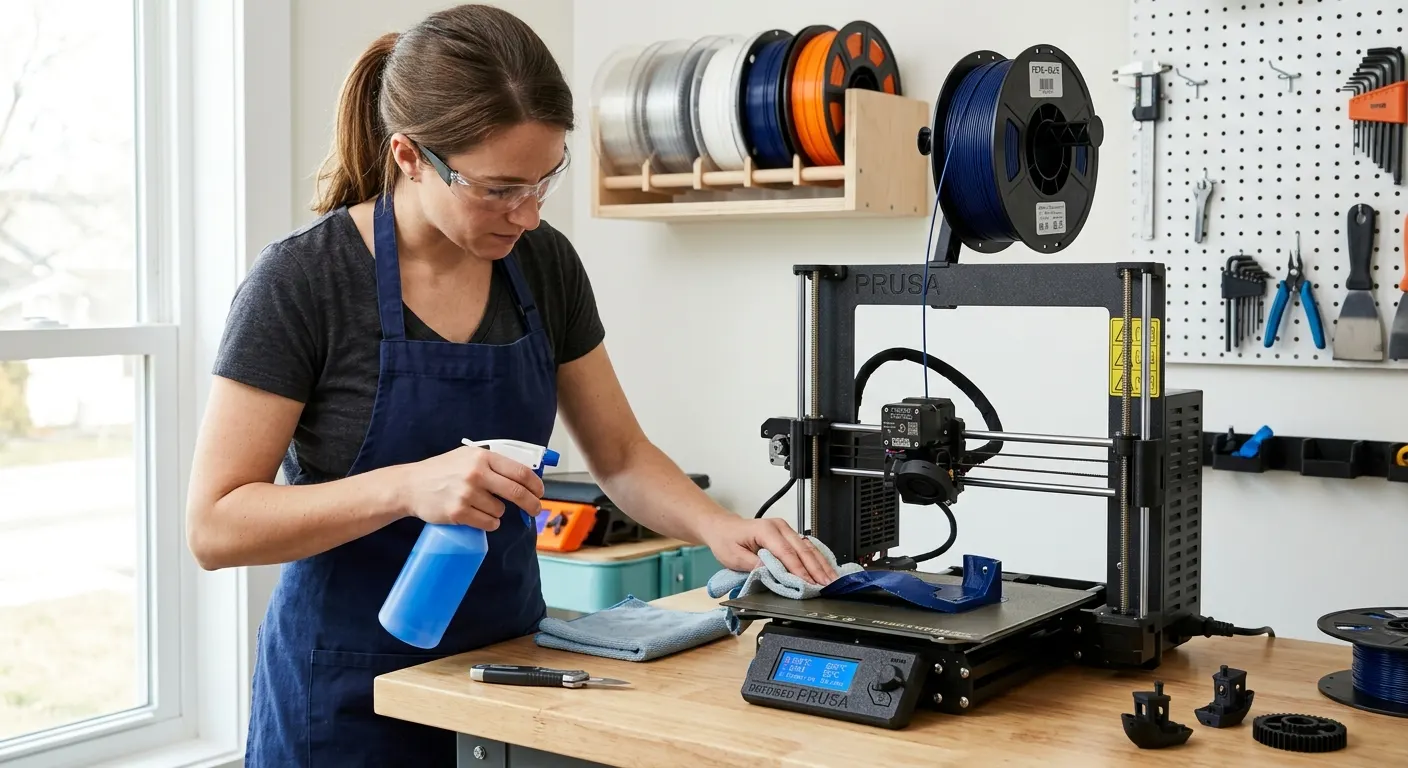
PETG has a reputation for two opposite problems: not sticking to the bed at all on the first layer, or sticking so aggressively that it tears chunks of PEI coating when you remove the print. Both problems are solvable once you understand what drives them. The fixes are different depending on which problem you have, but the starting point is always the same: a clean bed, a dialed Z-offset, and the right surface for the material.
Quick answer
When PETG will not stick, work through four steps. Clean the plate with 99 percent IPA before every print, dial Z-offset so first-layer lines are slightly squished with no gaps, set bed to 70 to 80 C and nozzle to 230 to 250 C, and slow the first layer to 20 to 30 mm/s.
This guide contains affiliate links. LayerGrade may earn a commission at no cost to you.
Step one: clean the bed before every print
The most common cause of PETG first-layer failures is bed contamination, not settings. Skin oils transferred from handling the build plate form an invisible barrier that prevents the molten PETG from bonding to the surface. A bed that gripped reliably yesterday can fail today because you touched it without thinking.
Clean the build surface with Amazon Basics Isopropyl Alcohol 99% on a lint-free cloth before every PETG print. Use 99 percent concentration, lower concentrations leave a thin film of water and other residue that is nearly as bad as the oils you are trying to remove. If you have been printing for a while without a thorough clean, wash the plate with warm water and a drop of dish soap, dry it completely, then follow with the IPA wipe. PEI builds up residue that IPA alone cannot remove after many print cycles.
Handle the clean plate by the edges only. The time between cleaning and the start of the print is when contamination happens. Develop a habit of cleaning, closing the slicer, starting the print, and not touching the plate again.
Step two: dial in Z-offset for the first layer
Z-offset determines how close the nozzle is to the bed during the first layer. Too far away and the extruded PETG does not press into the surface for adhesion. Too close and the nozzle drags through the print, causing scratches, nozzle jams, and a first layer that looks squished and over-wide.
The correct first layer with PETG should look slightly squished, with each extrusion line contacting its neighbors without a visible gap between them. If there are visible gaps between first-layer lines, the nozzle is too far from the bed. Adjust Z-offset in 0.05 mm steps toward the bed and test after each change.
On Bambu Lab printers, the first-layer calibration tool in Bambu slicer handles this adjustment. On Creality printers with a Creality CR Touch Auto Leveling Sensor installed, the probe maps the bed surface before each print, and the baby-step Z-offset control in the printer menu provides fine adjustment during the live first layer. Set it so lines are slightly squished with no gaps between adjacent extrusion tracks.
Step three: temperature (bed and nozzle)
PETG bed temperature matters more than most users expect. A bed temperature that is too low prevents PETG from bonding to the surface. A bed temperature that is too high with smooth PEI causes over-adhesion and potential coating damage on removal.
The working range for PETG bed temperature is 70 to 80 C. Start at 70 C and increase by 5 C increments if adhesion is inadequate. For textured PEI, 70 to 75 C typically provides reliable grip. For smooth PEI, stay at the lower end of this range and use a release agent to prevent over-adhesion.
Nozzle temperature for PETG should sit between 230 and 250 C. Printing too cold increases viscosity and reduces how well the first layer flows into the surface texture. A starting point of 235 to 240 C works well for most PETG brands on most printers. If adhesion is still marginal after addressing Z-offset and bed temperature, try raising nozzle temperature by 5 C.
Reduce first layer speed to 20 to 30 mm/s regardless of your normal print speed. Slower first layers give the PETG more time to flow into the surface texture and build adhesion before the nozzle moves on. Most slicers have a dedicated first-layer speed setting that is independent of the general print speed.
Step four: choose the right build surface
Surface choice is often the missing variable when cleaning and temperature settings are correct but PETG adhesion remains unreliable. PETG is chemically aggressive toward smooth PEI at elevated temperatures: it bonds so strongly that removing the print can delaminate the PEI coating. Textured PEI provides adequate first-layer grip with lower adhesion strength, which makes for clean releases without risking the coating.
The Bambu Lab Textured PEI Plate handles PETG on Bambu A1, A1 Mini, P1P, P1S, and X1C printers without adhesion spray or glue at the standard PETG profile temperature. The micro-texture provides enough surface area for reliable bonding while allowing clean release after the plate cools to room temperature.
For Ender 3 users, the Wham Bam PEI Spring Steel Sheet in a textured version solves the same problem. If you have a smooth PEI sheet and PETG is over-adhering, the fix is Magigoo 3D Printer Bed Adhesion Stick applied as a thin release layer. The Magigoo formula holds the print during printing and releases cleanly when the bed cools below 30 C, preventing the surface damage that direct PETG contact on smooth PEI causes.
The Energetic Smooth PEI Magnetic Sheet is an affordable option for Ender 3 users who want a spare surface dedicated to materials that do not over-adhere. If PETG is pulling at your primary plate, dedicate that smooth sheet to PLA-only use and add a textured variant for PETG sessions.
Dry PETG before printing. Moisture causes adhesion and stringing problems together
Wet PETG produces two interrelated problems: stringing during the print and, in some cases, first-layer inconsistency from steam bubbles disrupting the flow. If you have addressed bed surface, Z-offset, and temperature but adhesion is still inconsistent, the filament may be contributing.
Dry PETG in the SUNLU FilaDryer S2 at 60 to 65 C for four to six hours before printing. The SUNLU S2 reaches 65 C, which is the top of the recommended PETG drying range. If you want confirmation that the spool has actually reached low humidity rather than estimating from elapsed time, the EIBOS Filament Dryer Box with its live humidity display is the step up worth considering for PETG specifically.
PETG from manufacturers with tight diameter tolerances reduces both stringing and flow inconsistency. Polymaker PolyLite PETG is the recommended choice for PETG that needs to perform reliably on Bambu and Prusa hardware. After drying, store the spool in PrintDry Filament Container with Desiccant with Dry and Dry Rechargeable Silica Gel Desiccant to maintain dry conditions between sessions.
FAQ
Frequently asked questions
Why does PETG stick too hard to my PEI plate and damage it?+
PETG bonds aggressively to smooth PEI at bed temperatures above 70 C. The fix is to switch to textured PEI, which provides adequate grip with lower adhesion force, or to apply a thin layer of a purpose-made adhesion product like Magigoo to smooth PEI before printing. Always let the plate cool fully to room temperature before attempting removal, since PETG releases best when completely cold.
What bed temperature should I use for PETG?+
A bed temperature of 70 to 80 C works for most PETG brands and surfaces. Start at 70 C and raise by 5 C if adhesion is inadequate. On smooth PEI, stay at the lower end of the range to reduce over-adhesion risk. On textured PEI, 70 to 75 C provides reliable grip and clean release without needing a release agent.
My PETG is not sticking even with the correct temperature. What am I missing?+
Check contamination first. Clean the plate with 99 percent isopropyl alcohol immediately before printing and handle it by the edges only. Then verify Z-offset, the first layer should look slightly squished with no gaps between extrusion lines. If both are correct and adhesion is still marginal, dry the filament at 60 to 65 C for four to six hours. Wet PETG produces inconsistent flow that hurts first-layer bonding.