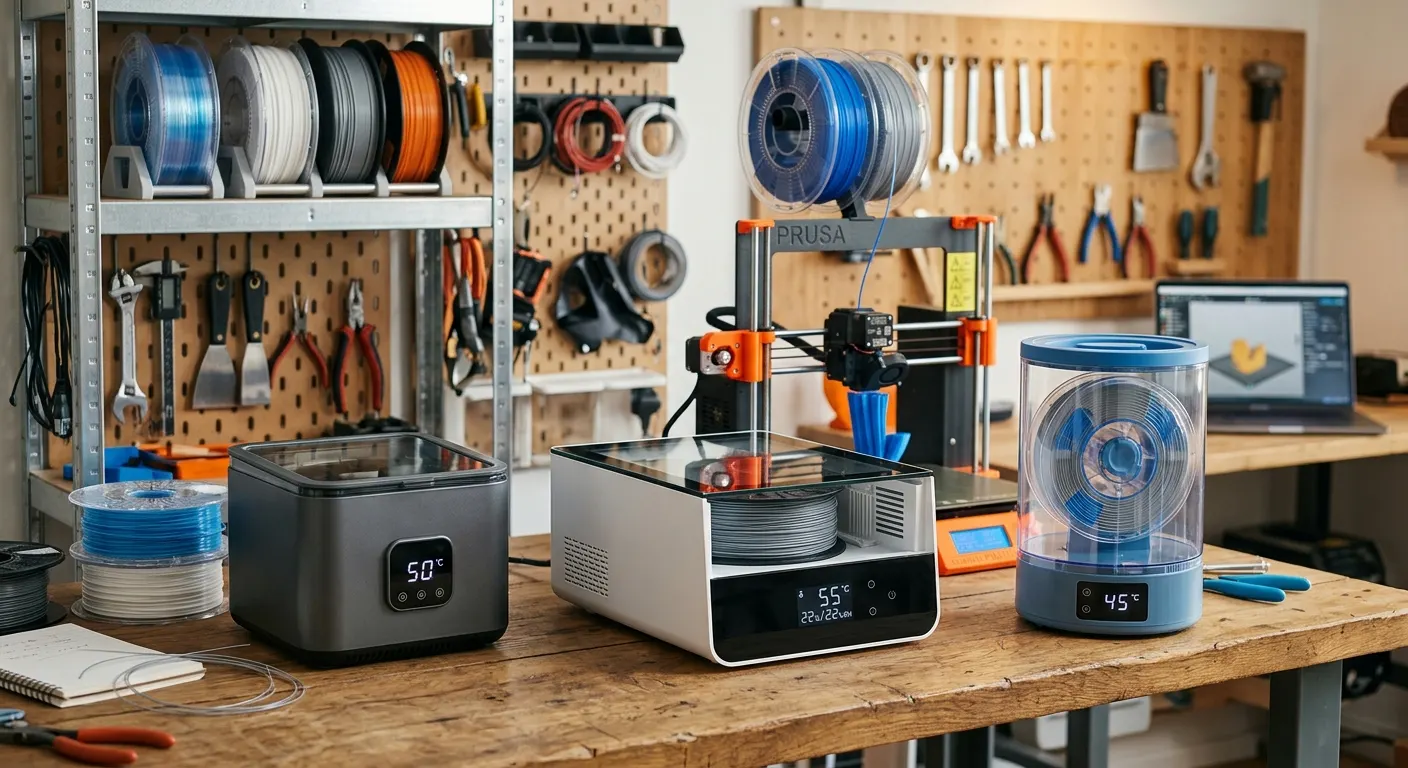
Filament moisture is a more common source of print quality problems than most users realize, and the diagnosis is straightforward: if your filament produces audible popping or crackling during extrusion, the moisture content is high enough to cause steam bubbling in the melt zone. Less severe moisture produces stringing, rough surface texture, and inconsistent layer adhesion without obvious audible symptoms. A filament dryer eliminates this variable by heating the spool at a specific temperature for a defined period. The challenge for buyers is choosing the right dryer for their workflow, single-spool versus multi-spool, temperature range, run-during-print capability, and humidity monitoring.
Quick answer
The SUNLU FilaDryer S2 is the best entry-level pick: single spool, under $50, print-in-dryer operation, and adequate for PLA, PETG, and TPU. Choose the four-spool S4 for AMS and multi-material workflows. Choose the EIBOS when you want a live humidity display to confirm drying on nylon and engineering materials.
This guide contains affiliate links. LayerGrade may earn a commission at no cost to you.
How filament drying works: temperature targets by material
Filament drying works by heating the spool above the boiling point of water sufficiently to drive moisture out of the polymer matrix without reaching the glass transition temperature that would soften or deform the filament. The target temperature window is material-dependent and relatively narrow.
PLA: 45 to 55 degrees Celsius for four to six hours. PLA absorbs moisture slowly but the window to prevent deformation is narrow, above 60 degrees, PLA strands can fuse in the drying chamber. The SUNLU FilaDryer S2 handles PLA reliably at its 45 degree minimum setting.
PETG and TPU: 60 to 65 degrees Celsius for four to six hours. Both materials absorb moisture quickly and produce immediate print defects when wet. The S2 reaches 65 degrees and handles these materials at its upper temperature limit. The EIBOS Filament Dryer Box with its humidity display is more useful here because it confirms actual drying completion rather than relying on elapsed time.
ABS, ASA, and PC: 70 to 80 degrees Celsius for six to twelve hours. These engineering materials require higher temperatures and longer drying times. The SUNLU FilaDryer S4 reaches 70 degrees and handles ABS and ASA drying in its four-spool configuration. PC requires longer drying at the upper end of most consumer dryer temperature ranges.
Nylon (PA): 80 to 90 degrees Celsius for eight to twelve hours minimum. Nylon is the most moisture-sensitive FDM filament and the most demanding to dry thoroughly. Consumer-grade filament dryers that max out at 70 to 75 degrees Celsius will improve nylon print quality but may not fully restore severely wet nylon. A food dehydrator set to 80 degrees is a practical supplement for nylon drying when the dryer temperature ceiling falls short.
SUNLU FilaDryer S2: the best entry-level option
The SUNLU FilaDryer S2 earns its position as the most-recommended entry-level filament dryer through a combination of adequate temperature range, print-in-dryer operation, and a price under $50. Single-spool capacity is not a workflow limitation for most new users who print one material type at a time.
The S2 temperature dial is less precise than the digital controls on the EIBOS or S4, but the temperature accuracy at set point is adequate for PLA, PETG, and TPU targets. Users printing primarily these three materials and wanting the lowest-cost drying solution should start with the S2 and evaluate whether the capacity is limiting before upgrading.
Print-in-dryer operation, running the S2 continuously while printing from the dried spool, is the highest-value use mode for users in humid climates where filament re-absorbs moisture quickly after removal from the dryer. Thread the filament out through the S2 guide port directly into the printer extruder path to maintain dry conditions throughout a long print.
SUNLU FilaDryer S4: multi-spool for AMS and multi-material users
The SUNLU FilaDryer S4 solves the single-spool capacity limitation for users who run multi-material setups or rotate between multiple filament types. Four spools can be loaded simultaneously and dried in a single cycle, which is the practical requirement for Bambu AMS users who need all four slots conditioned before a multi-color print session.
Digital temperature control improves accuracy over the S2 dial, the S4 can be set to 65 degrees with confidence that it will maintain that temperature within a few degrees throughout the drying cycle. Two simultaneous feed ports allow two of the four spools to feed active printers while the other two dry.
The S4 footprint is significantly larger than the S2 and requires dedicated shelf space near the printer. Users who do not require multi-spool capacity should not buy the S4 for features they will not use. The capacity justification is specifically for AMS workflows and users who print four or more materials in regular rotation.
EIBOS Filament Dryer: the humidity-verified option
The EIBOS Filament Dryer Box differentiates itself with a live humidity display that shows the actual moisture level inside the drying chamber. This is a meaningful feature rather than marketing: knowing when the humidity inside the chamber has dropped to a stable low level confirms that drying is complete, rather than relying on elapsed time at a set temperature as a proxy.
The practical value is highest for materials where incomplete drying is costly, nylon and engineering materials where a partially dry spool still produces print failures. The EIBOS humidity readout tells you definitively whether another two hours of drying is warranted rather than requiring a test print to check.
Brushless internal circulation fan in the EIBOS distributes heat more evenly than the natural convection in the SUNLU S2. Even heat distribution matters for large spools where the center of the spool is further from the heating element than the outer windings. Single-spool capacity matches the S2; choose between them based on whether the humidity display justifies the price difference for your typical materials.
Passive dry storage: the complement to active drying
Active dryers restore wet filament and maintain dry conditions during printing. For spools not in use, passive dry storage in airtight containers with desiccant is the cost-effective complement. PrintDry Filament Container with Desiccant containers with Dry and Dry Rechargeable Silica Gel Desiccant provide multi-month moisture protection between print sessions.
The workflow: dry the spool in the S2 or EIBOS before first use, verify humidity drop on the EIBOS display or allow adequate time at temperature, then transfer to a sealed PrintDry container with fresh desiccant for storage. The Govee Temperature and Humidity Monitor placed inside the storage area confirms that the desiccant is maintaining the target humidity level below 20 percent relative humidity.
In climates with humidity below 50 percent year-round, passive storage with rechargeable desiccant is often sufficient for PLA and PETG without an active dryer. In climates with seasonal humidity above 70 percent, active drying before each multi-hour print session is the more reliable approach.
FAQ
Frequently asked questions
Should I buy a single spool or multi spool dryer?+
Match it to your workflow. A single spool dryer is cheaper and fine if you print one material at a time, and it works well as a diagnostic tool to test whether moisture is your problem. A four spool dryer suits AMS and multi material users who need several spools conditioned at once, but it takes up more space you should not pay for unused.
Is the humidity display on dryers like the EIBOS actually useful?+
Yes, especially for materials where partial drying still fails, such as nylon and engineering filaments. A live humidity readout confirms when the chamber has actually reached a stable low level, instead of guessing from elapsed time. For casual PLA drying it is a nice to have, but for thirsty materials it removes a real source of wasted prints.
Can a filament dryer fully restore badly soaked nylon?+
Sometimes not completely. Nylon wants 80 to 90 degrees Celsius for eight or more hours, and many consumer dryers top out near 70 to 75. They improve wet nylon but may not fully restore a severely saturated spool. A food dehydrator set around 80 to 85 degrees is a practical supplement when your dryer cannot reach the temperature nylon needs.