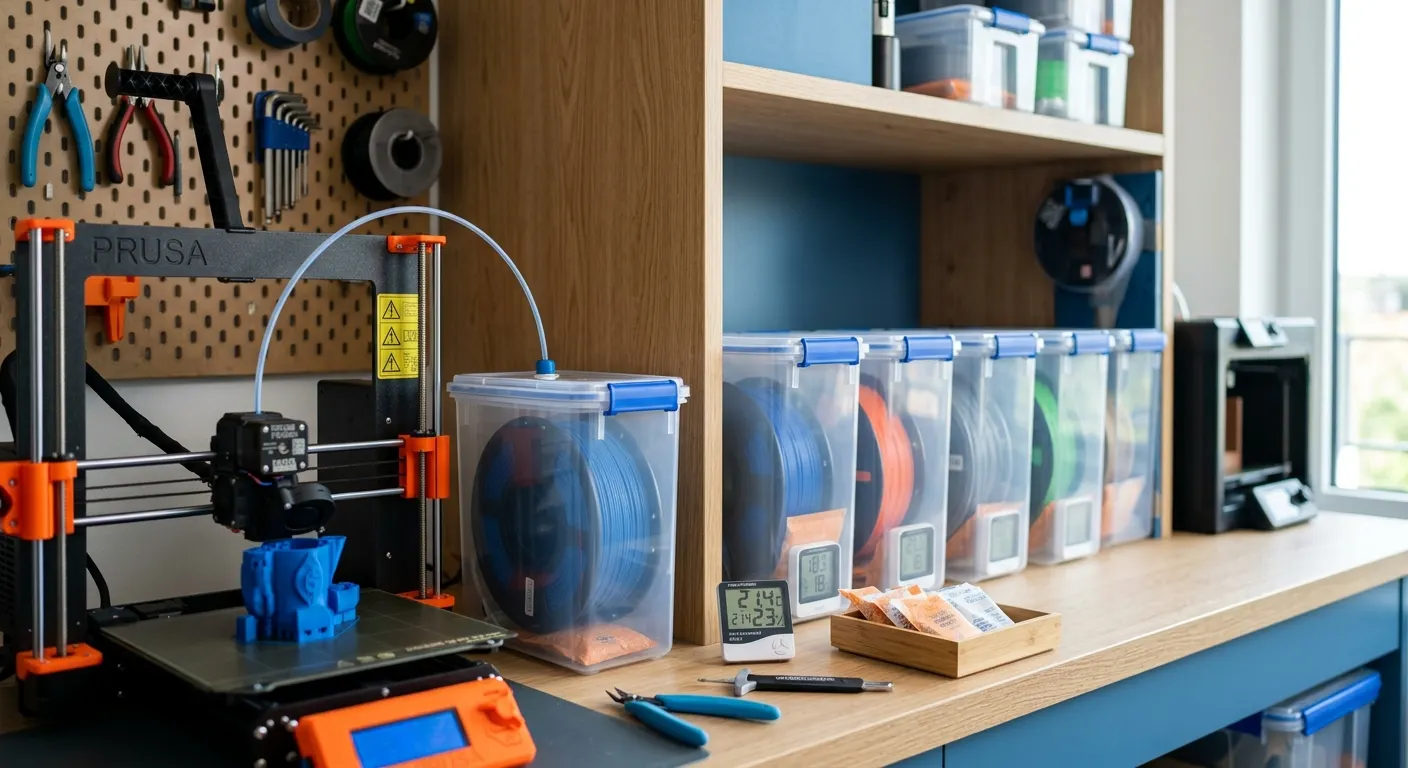
Filament moisture is the most underdiagnosed source of print quality problems in FDM 3D printing. A spool of PETG left on the printer in a moderately humid room can absorb enough moisture in 48 hours to produce visible stringing artifacts and rough surface texture on what was a clean-printing material the day before. The frustrating part is that the symptoms, stringing, surface bubbling, poor layer adhesion, look identical to the results of incorrect slicer settings, which sends users down a tuning rabbit hole when the actual variable is the filament storage environment. This guide covers moisture identification, drying parameters by material, and the storage systems that prevent the problem from recurring.
Quick answer
Confirm wet filament by the popping or crackling you hear during extrusion, then dry to the material spec: roughly 45 to 55 C for PLA, 60 to 65 C for PETG, higher for ABS and nylon. Print straight from the dryer for hygroscopic materials, and store spools sealed with rechargeable desiccant between sessions. Prioritize TPU, nylon, and composites.
This guide contains affiliate links. LayerGrade may earn a commission at no cost to you.
How to tell if your filament is wet
The definitive test for filament moisture is audible: bring the extruder temperature to printing temperature, extrude manually at a slow speed, and listen. Audible popping, crackling, or hissing during extrusion is steam bubbling from water vaporizing in the melt zone. This indicates moisture content high enough to cause active defects and confirms immediate drying is required.
Less severe moisture produces subtler symptoms. Stringing that increases over multiple print sessions rather than staying consistent. Surface texture that appears rough or grainy rather than smooth. Fine bubbles or micro-voids visible on flat surfaces under direct light. These symptoms often develop gradually as an open spool absorbs ambient humidity, making them easy to attribute to slicer drift or print settings rather than the filament condition.
A Govee Temperature and Humidity Monitor placed near your printer and filament storage area gives baseline data on your environment. If the relative humidity in your print space regularly exceeds 50 percent, expect filament moisture absorption to affect print quality within days for PETG and TPU, and within weeks for PLA.
Drying parameters: temperature and time by material
Drying parameters are not one-size-fits-all. Using the wrong temperature either fails to remove moisture (too low) or risks deforming the filament (too high). The following ranges apply across the common filament types and consumer dryer equipment like the SUNLU FilaDryer S2 and SUNLU FilaDryer S4.
PLA: 45 to 50 degrees Celsius for four to six hours. PLA has a glass transition around 60 degrees, so a 45 to 50 degree target provides a safety margin against softening while still driving moisture out effectively. The SUNLU FilaDryer S2 handles PLA well at its minimum temperature setting.
PETG: 60 to 65 degrees Celsius for four to six hours. PETG absorbs moisture more rapidly than PLA and produces more dramatic print artifacts when wet. The EIBOS Filament Dryer Box is particularly useful for PETG because the live humidity display confirms that moisture has actually been driven out rather than requiring the user to estimate based on time elapsed.
TPU: 55 to 65 degrees Celsius for four to six hours. TPU varies significantly between Shore hardness ratings, softer TPU may become deformed at the upper end of this range. Start at 55 degrees and increase only if print quality confirms the spool is still wet after the first drying cycle.
ABS and ASA: 70 to 80 degrees Celsius for six to twelve hours. Higher drying temperatures and longer times are required because ABS and ASA have higher glass transition temperatures and require more energy to drive moisture out of the polymer matrix. The SUNLU FilaDryer S4 reaches 70 degrees and handles ABS reliably in its four-spool configuration.
Nylon (PA-6, PA-12, PA-CF): 80 to 90 degrees Celsius for eight to twenty-four hours. Nylon is the most moisture-sensitive material in the standard FDM material set. Even brief exposure to high-humidity environments can saturate a spool enough to produce print failures. At the upper end of nylon drying requirements, most consumer filament dryers reach their temperature ceiling. A food dehydrator set to 80 to 85 degrees is a practical supplement when a dryer cannot reach the required temperature.
Active drying during printing
Drying a spool before a print session is standard practice, but in humid environments the filament begins re-absorbing moisture immediately after removal from the dryer. For long print jobs, multi-hour prints or overnight sessions, print-in-dryer mode is the solution that maintains dry conditions throughout the print.
Both the SUNLU FilaDryer S2 and SUNLU FilaDryer S4 support print-in-dryer operation through a filament guide port that allows the filament to feed from inside the heated chamber directly to the printer extruder. Set the dryer to the appropriate temperature for the active material and let it run continuously during printing. The filament path from dryer to extruder stays dry even in a high-humidity environment.
For Bambu AMS users, the SUNLU FilaDryer S4 four-spool capacity is sized to handle the full AMS complement simultaneously. Run all four channels in print-in-dryer mode during long multi-material print sessions to maintain consistent moisture conditions across all active spools.
Long-term storage: airtight containers and desiccant
Spools not in active use should be stored in airtight containers with desiccant regardless of your climate. The PrintDry Filament Container with Desiccant containers provide a silicone-gasket seal that maintains low internal humidity when combined with Dry and Dry Rechargeable Silica Gel Desiccant. The workflow: dry the spool thoroughly in the S2 or S4 first, then immediately seal it in the storage container with fresh or freshly recharged desiccant while the spool is still hot from the dryer.
Dry and Dry Rechargeable Silica Gel Desiccant with color-indicating beads are the long-term cost-effective desiccant solution. When the indicator beads change color from orange to clear, the desiccant is saturated and should be recharged by heating in an oven at 120 to 150 degrees Celsius for two to three hours. Rechargeable desiccant eliminates the ongoing cost of single-use silica packets across a growing filament collection.
In dry climates (below 40 percent relative humidity year-round), airtight storage with desiccant is often sufficient to maintain print-ready filament without active drying between sessions. In humid climates or seasonal humidity above 60 to 70 percent, plan a drying cycle before any print session using materials that absorb moisture rapidly (PETG, TPU, nylon) even if they have been stored sealed.
Filament selection: moisture-sensitive materials to prioritize for storage
Not all filaments require the same storage discipline. Hatchbox PLA 1.75mm Filament and Polymaker PolyTerra PLA in a dry climate can sit open on the printer for a week without significant moisture absorption. But Polymaker PolyLite PETG left open in any climate above 50 percent relative humidity will show stringing artifacts within 24 to 48 hours.
Overture TPU 95A Flexible Filament is the material that new users most often experience moisture problems with because it ships vacuum-sealed and many users open the package and immediately encounter problems after leaving it in a humid environment for a short time. TPU should be sealed in a storage container or active dryer immediately after opening the factory vacuum seal.
Materials to always store sealed, in every climate: TPU, nylon/PA, and any filled composite. PLA and PETG benefit from sealed storage in humid climates but are more forgiving in dry environments. ASA and ABS absorb moisture less rapidly than PETG and TPU but still benefit from sealed storage for any spool not in active use.
FAQ
Frequently asked questions
How do I know for sure that my filament is wet?+
The clearest test is audible. Heat the nozzle to printing temperature and extrude slowly. Popping, crackling, or hissing is steam from moisture in the melt zone. Subtler signs include stringing that worsens over time, rough or grainy surfaces, and fine bubbles on flat faces. A humidity monitor near your storage gives baseline data on how fast spools absorb moisture.
Which filaments need the strictest storage, and which are forgiving?+
Always store TPU, nylon, and filled composites sealed in every climate, since they absorb moisture fastest. PETG is in between and shows stringing within a day or two if left open in humid air. PLA is the most forgiving and can sit out for days in a dry room. ABS and ASA are slower to soak up moisture but still benefit from sealed storage.
Is sealed storage with desiccant enough, or do I need an active dryer?+
In a dry climate below about 40 percent humidity, airtight containers with rechargeable desiccant keep most filament print ready without active drying. In humid climates or above 60 to 70 percent, plan a drying cycle before printing thirsty materials even if they were stored sealed. Storage prevents moisture, but only an active dryer removes moisture already absorbed.