SUNLU FilaDryer S2 vs S4: Single Spool or Four?

Both are SUNLU filament dryers. The S2 holds one spool and is the cheapest way to confirm whether drying improves your prints. The S4 dries up to four spools at once, turning drying from a serial chore into a background process, the better pick for AMS and multi-material printers cycling through PLA, PETG, TPU, and ABS.

This comparison contains affiliate links. As an Amazon Associate and partner of other programs, LayerGrade may earn a commission at no cost to you.

At a glance

Spec SUNLU FilaDryer S2 Check price on Amazon SUNLU FilaDryer S4 Check price on Amazon
Price $38 to $52 $60 to $85
Our rating 4.5 / 5 4.6 / 5
Best for First-time filament dryer buyers and printers who work with one material type at a time and want to verify whether drying improves their print quality before investing in a larger unit. Multi-material AMS users, Bambu Lab X1C and P1S owners running several filament types, and any printer who regularly cycles between PLA, PETG, TPU, and ABS without wanting to dry spools individually.
Capacity One spool Up to four spools
Workflow Serial, one at a time Parallel, in the background
Print-while-drying Yes, single feed Yes, multiple feeds

The two options in depth

REF Amazon
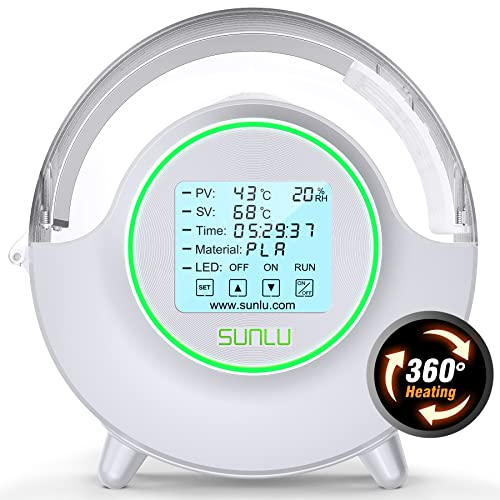
SUNLU FilaDryer S2
SCORE 4.5 / 5.0

SUNLU FilaDryer S2

The SUNLU S2 is the most widely recommended entry-level filament dryer in the hobby. It accepts one spool, heats to between 35 and 70 degrees Celsius, and can run continuously during printing to prevent moisture re-absorption. The S2's temperature range covers PLA (45 to 55 degrees), PETG and TPU (60 to 65 degrees), and ABS and ASA (65 to 70 degrees). At under $50, it is the most accessible path to moisture-free printing.

BEST FOR
First-time filament dryer buyers and printers who work with one material type at a time and want to verify whether drying improves their print quality before investing in a larger unit.
PRICE
$38 to $52
  1. 135 to 70 degree Celsius range covers PLA, PETG, TPU, ABS, and ASA drying requirements
  2. 2Can run during printing to keep filament dry as it feeds, not just as a pre-print treatment
  3. 3Budget price makes a dryer accessible for users who do not want to spend significantly before seeing results

Single-spool capacity requires multiple units or multiple drying sessions for users with diverse material queues

REF Amazon
SUNLU FilaDryer S4
SCORE 4.6 / 5.0

SUNLU FilaDryer S4

The S4 is SUNLU's four-spool dryer, offering the same temperature range as the S2 but scaling to users who rotate multiple materials. Two spools can feed simultaneously, making the S4 practical for multi-material setups like the Bambu AMS where several filaments need to be conditioned at the same time. Digital temperature and timer controls are more precise than the S2's dial.

BEST FOR
Multi-material AMS users, Bambu Lab X1C and P1S owners running several filament types, and any printer who regularly cycles between PLA, PETG, TPU, and ABS without wanting to dry spools individually.
PRICE
$60 to $85
  1. 1Four-spool capacity handles a full AMS filament set or multi-material print queue in a single drying cycle
  2. 2Digital temperature control is more accurate than the S2 dial for materials with tight drying temperature requirements
  3. 3Dual simultaneous feed ports allow two spools to print while drying

Larger footprint requires dedicated shelf or surface space near the printer

Which should you buy?

Buy the S2 if you are not yet sure moisture is your problem or you print one material at a time; it is the low-cost entry. Step up to the S4 if you run an AMS or a Bambu X1C or P1S with several filament types and are tired of drying spools one by one. If you already know drying matters and print multi-material, the S4 pays for itself in saved time.

Common questions

Should I buy the SUNLU S2 or S4 first?

If you are unsure moisture is hurting your prints, start with the cheaper S2 to confirm. If you already know drying matters and run multiple materials or an AMS, skip straight to the four-spool S4.

Can both dry filament while printing?

Yes, both can feed filament to the printer while drying, which keeps hygroscopic materials dry during long jobs. The S4 just lets you keep several spools active at once.

Is the S4 just a bigger S2?

Effectively yes, scaled to four spools with a workflow built for parallel drying. The core drying approach is the same; the S4 removes the one-spool-at-a-time bottleneck.