Best 3D Printer Filament: PLA, PETG, TPU, ABS Compared
By LayerGrade10 min readUpdated July 2026
AI-generated image
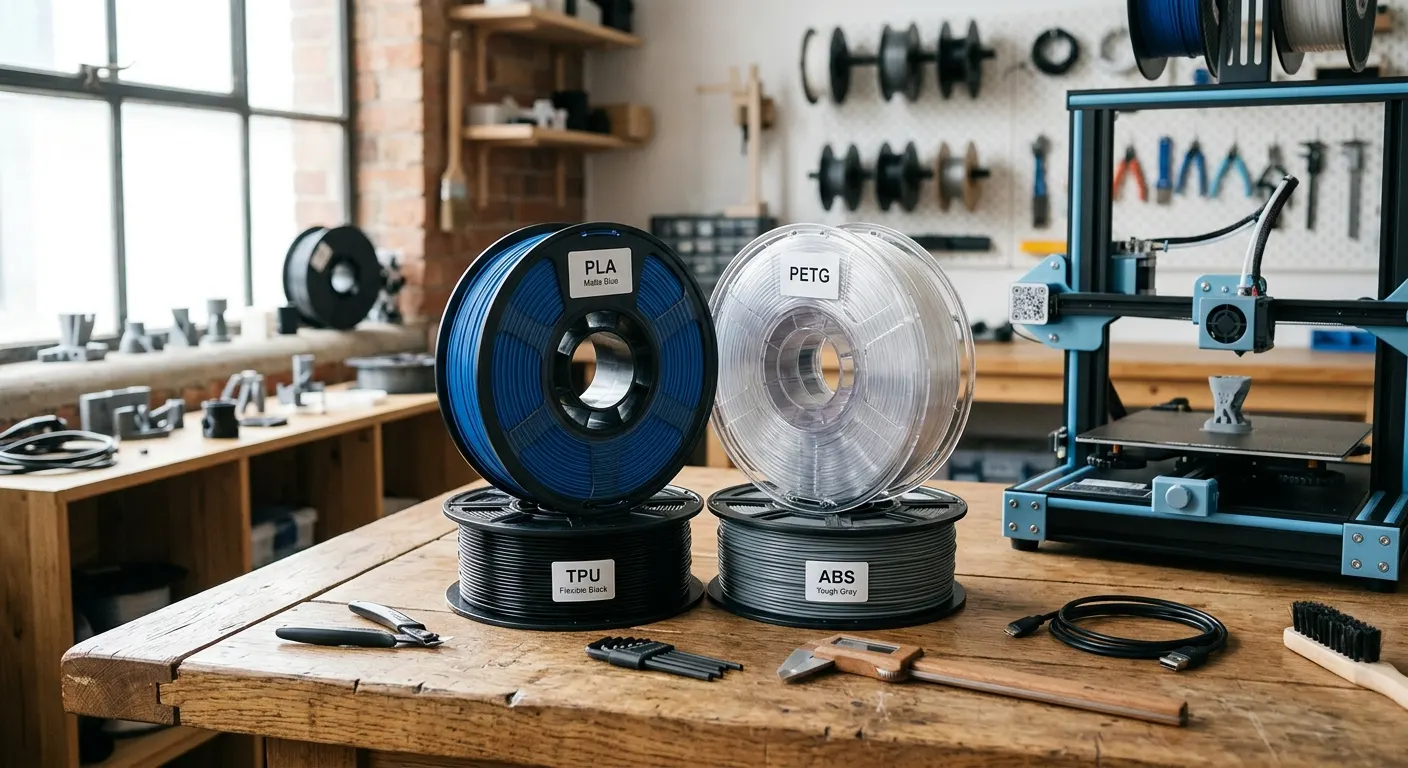
Filament selection is the most repeated purchasing decision in FDM printing. Unlike hardware upgrades that are bought once, filament is a consumable, and the material choice determines not just print quality but print difficulty, required bed temperature, whether you need an enclosure, and how the finished part performs in use. This guide covers the four materials that account for the majority of consumer FDM printing, PLA, PETG, TPU, and ABS, with specific brand recommendations and honest notes on what each material does well, where it falls short, and which printers handle it most reliably.
Quick answer
Print PLA for easy display work at 190 to 220 C, but it softens near 60 C. Step up to PETG for functional parts that tolerate up to 80 C. Use TPU for flexible parts on a direct-drive extruder. Choose ABS or ASA only for high heat or outdoor UV, and only with a heated enclosure.
This guide contains affiliate links. LayerGrade may earn a commission at no cost to you.
01
PLA: the starting point for almost every printer
PLA is the correct starting material for every new 3D printer user and remains the most-used material for experienced printers who focus on aesthetic and display prints. It prints at 190 to 220 degrees Celsius without an enclosure, adheres to PEI at 60 degrees bed temperature without glue or spray, and produces clean surface detail on well-calibrated printers. Its weakness is heat resistance, PLA softens at 60 degrees Celsius in ambient heat, making it unsuitable for parts that will be left in a hot car, near a heat source, or outdoors in direct summer sunlight.
For everyday PLA, Hatchbox PLA 1.75mm Filament is the reliable budget option with tight diameter tolerance and good color-to-color consistency. For display prints where surface quality matters, Polymaker PolyTerra PLA provides a matte finish that conceals layer lines and ships on an eco-cardboard spool. For parts that need PLA processability with better impact resistance, Polymaker PolyMax PLA uses a toughened matrix that resists cracking under mechanical stress better than standard PLA.
Dry PLA before printing if you notice stringing that retraction tuning does not reduce. The SUNLU FilaDryer S2 at 45 to 50 degrees for four hours is sufficient for PLA that has been left open in a humid environment.
02
PETG: the functional printing upgrade
PETG is the standard step up from PLA for functional parts that need more mechanical toughness and better heat resistance. It prints at 230 to 250 degrees Celsius, tolerates temperatures up to 80 degrees Celsius without softening, and has good chemical resistance. The trade-off is printing complexity: PETG strings more than PLA at most retraction settings, adheres aggressively to smooth PEI surfaces, and absorbs moisture more rapidly than PLA.
Polymaker PolyLite PETG is the PETG recommendation for Bambu Lab and Prusa users who want consistent diameter and reliable print quality. The Polymaker quality control is the main differentiator, inconsistent PETG diameter causes the stringing and ooze that give PETG its difficult reputation, and Polymaker largely eliminates this variable.
TPU: flexible filament for functional applications
TPU (thermoplastic polyurethane) is the flexible filament of choice for phone cases, vibration dampeners, flexible hinges, cable protectors, and any application requiring a part that can flex and return to shape. The printing challenge is that TPU is soft and compressible in the extruder, which causes it to buckle inside long Bowden tube setups rather than feeding consistently.
Overture TPU 95A Flexible Filament at 95A Shore hardness is the practical choice for most TPU applications, firm enough to print reliably on direct-drive setups including Bambu Lab and Prusa MK4, soft enough to produce useful flex in finished parts. Ender 3 users who want to print TPU should install the Creality Sprite Pro Extruder first; the stock Bowden setup will struggle with TPU regardless of other tuning attempts.
ABS and ASA are the materials for parts that must survive high ambient temperatures or outdoor UV exposure. ABS tolerates temperatures up to 100 degrees Celsius, making it suitable for automotive interior parts, enclosures near heat sources, and functional parts that would deform in a hot car. ASA adds UV resistance and better weathering properties, making it the outdoor material of choice for applications that will see direct sunlight for extended periods.
Both materials require a heated enclosure to print reliably. Without an enclosure, ABS warps aggressively due to differential cooling between printed layers. The IKEA Lack DIY enclosure approach (Enclosure Hardware Kit for IKEA Lack Table) is the most cost-effective way to add enclosure capability to an Ender 3. For Bambu Lab P1S and X1C users, the built-in enclosure handles ABS and ASA reliably with the appropriate temperature settings.
For printing ABS and ASA, upgrade to the BIGTREETECH Hardened Steel Nozzle if printing filled composite versions. Standard ABS and ASA print fine through brass nozzles, but ABS-CF and ASA-CF composites require hardened steel. Use Magigoo 3D Printer Bed Adhesion Stick with ABS on any PEI surface to improve first-layer grip and reduce warping risk.
PLA, PETG, TPU, or ABS: how do I choose by use case?+
Choose PLA for display pieces and easy everyday printing. Choose PETG for functional parts that face mild heat, moisture, or regular handling. Choose TPU when a part must flex and recover, like cases and dampeners. Choose ABS or ASA only when you need high heat or outdoor UV resistance, and only if you have an enclosure to control warping.
Why is my PETG stringing and not sticking, and how do I fix it?+
PETG strings more than PLA and is sensitive to moisture, so dry the spool first. Tune retraction and lower temperature in small steps to cut stringing. For adhesion, run a slightly higher bed temperature near 70 to 80 degrees Celsius and avoid squishing the first layer too thin. On smooth PEI it can over adhere, so a thin release layer helps prints pop off.
Can my printer handle ABS, or do I need an enclosure?+
ABS and ASA need a heated enclosure to print reliably. Without one, they warp badly as layers cool unevenly. Bambu Lab P1S and X1C have built in enclosures that handle them well. Open frame printers like the Ender 3 need an added enclosure, such as a DIY IKEA Lack build, before ABS becomes practical and consistent.