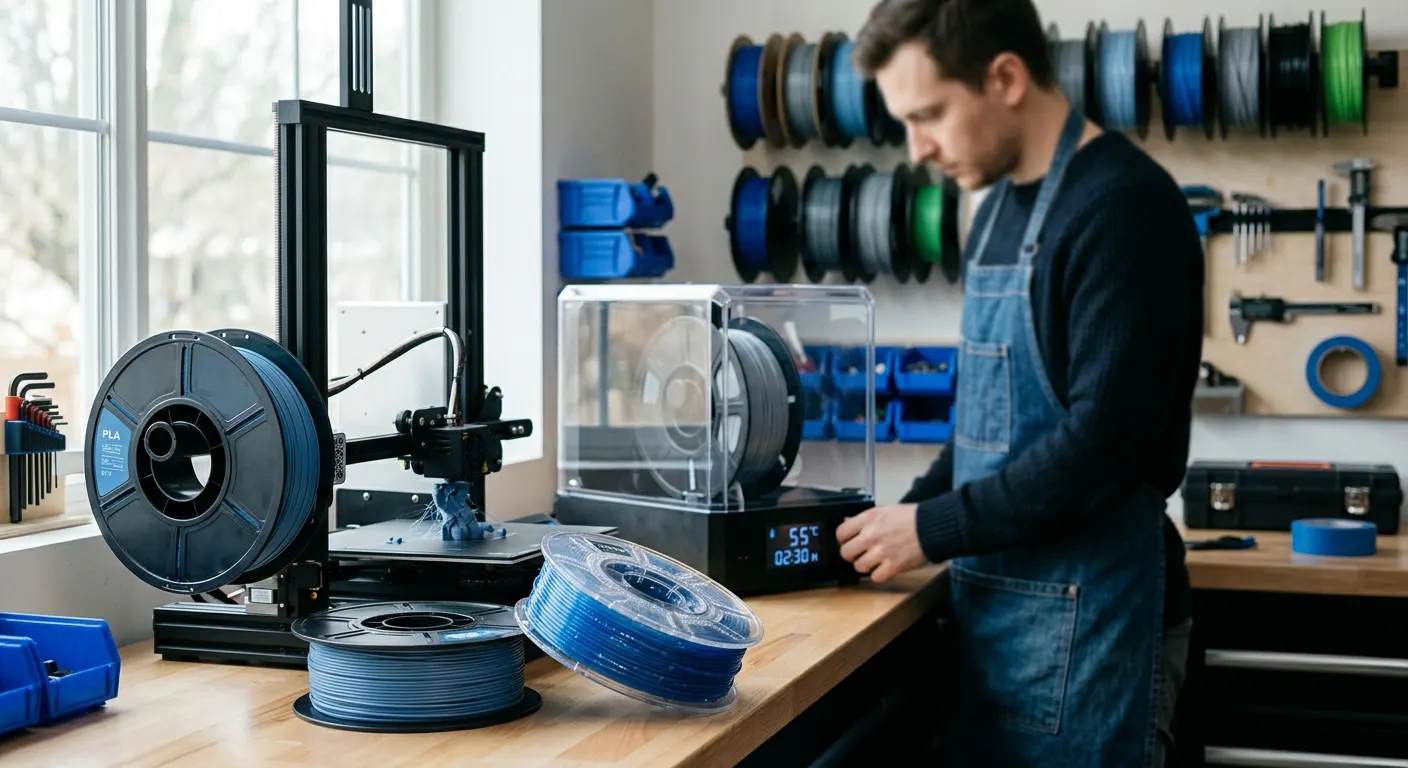
Most new 3D printer users encounter wet filament symptoms before they understand what is causing them. The prints string more than expected, the surfaces look rough or grainy, the extrusion sounds different. These symptoms look identical to the output of incorrect retraction settings or the wrong temperature profile, which is why filament moisture gets missed and printers spend hours chasing slicer changes that do not address the root cause. This guide covers how to confirm whether your filament is wet, drying temperatures and times by material, and how to prevent re-absorption after drying.
Quick answer
Confirm wet filament by heating the nozzle and listening for popping or crackling during slow extrusion, which is steam in the melt zone. Then dry to material: 45 to 55 C for PLA, 60 to 65 C for PETG, 50 to 55 C for TPU, and 70 to 80 C for ABS and nylon. Seal dried spools immediately with desiccant.
This guide contains affiliate links. LayerGrade may earn a commission at no cost to you.
How to diagnose wet filament
The definitive test is audible. Heat the nozzle to your normal printing temperature and use the manual extrusion control to push filament through slowly. Listen during extrusion. Popping, crackling, or hissing sounds during the extrusion indicate moisture flashing to steam in the melt zone. This is a clear positive result: the filament needs drying.
Watch for secondary symptoms if the audible test is inconclusive. Stringing that grows worse over multiple consecutive print sessions rather than staying constant is a common pattern when a spool slowly absorbs ambient humidity over days. Surface texture that appears rough or grainy on flat faces rather than smooth. Fine bubbles or micro-voids visible on flat surfaces under direct light. A nozzle that appears to weep or drip slightly during travel moves even with good retraction settings.
Place a Govee Temperature and Humidity Monitor near your printer and filament storage area. If the ambient relative humidity in your print space regularly exceeds 50 percent, expect PETG and TPU to absorb moisture within 24 to 48 hours of open exposure, and PLA within a few days. If the reading is regularly above 60 percent, you need active drying for any moisture-sensitive material before each print session, regardless of how recently the spool was sealed.
Drying temperatures and times by material
Drying requires balancing two competing requirements: the temperature must be high enough to drive moisture out of the polymer matrix, but low enough to avoid deforming or fusing the filament on the spool. Each material has a different glass transition temperature that sets the ceiling for safe drying.
PLA: 45 to 55 C for four to six hours. PLA has a glass transition around 60 C, so the safe drying window is narrow. Stay at or below 55 C. The SUNLU FilaDryer S2 handles PLA reliably at its low temperature settings. PLA absorbs moisture more slowly than PETG or TPU, but a spool left open in a humid room for several days will show stringing symptoms.
PETG: 60 to 65 C for four to six hours. PETG absorbs moisture faster than PLA and the print defects from wet PETG are more pronounced: heavy stringing, rough surfaces, and occasional bubbling on first layers. The EIBOS Filament Dryer Box is particularly useful for PETG because the live humidity display confirms when drying is actually complete rather than requiring you to estimate based on elapsed time.
TPU: 50 to 55 C for four to six hours. TPU is one of the most moisture-sensitive filaments and should be treated as always needing drying in humid climates, even from a freshly opened spool. Softer Shore hardness TPU variants may begin deforming at higher temperatures, so stay at the lower end of this range. Wet TPU produces extreme stringing and rough surfaces that are immediately visible on test prints.
ABS and ASA: 70 to 80 C for six to twelve hours. Higher temperatures and longer times are required for these materials due to their higher glass transition temperatures. The SUNLU FilaDryer S4 reaches 70 C in its four-spool configuration and handles ABS and ASA reliably. Note that these are general starting points, and heavily saturated spools may need full twelve-hour cycles.
Nylon (PA-6, PA-12, PA-CF): 70 to 80 C for eight hours or more as a starting range for consumer dryers. Nylon is extremely hygroscopic and can absorb enough moisture in 30 minutes of open-air exposure in a humid room to noticeably degrade print quality. Many consumer filament dryers top out at 70 to 75 C, which improves wet nylon but may not fully restore heavily saturated spools. These temperatures are general guidance, check your specific filament manufacturer's recommendation as the safe upper limit varies by formulation.
Choosing a filament dryer
The SUNLU FilaDryer S2 is the correct starting point for most users. Single-spool capacity, 35 to 70 C range covering PLA through ABS, print-in-dryer operation via a guide port, and a price under $50. If you are not yet certain whether moisture is your problem, the S2 is a low-cost diagnostic tool: dry the suspect spool, print a test, and verify the result. If it solves the problem, the S2 has paid for itself.
The SUNLU FilaDryer S4 is the right step up for multi-material users and anyone running a Bambu AMS. Four-spool capacity means you can dry the full AMS set in a single cycle. Digital temperature control is more precise than the S2's dial, which matters when you are targeting specific temperatures for different materials. Two simultaneous feed ports let two spools print while two dry.
The EIBOS Filament Dryer Box is the single-spool option for users who want data-confirmed drying. The live humidity display shows the actual moisture level inside the chamber, so you know when drying is complete rather than running on elapsed-time estimates. The brushless circulation fan inside the EIBOS also distributes heat more evenly than convection-only designs, which matters for large-diameter spools where the center can be cooler than the outer windings.
Printing from the dryer: keeping filament dry during long jobs
Drying before a print session is effective, but in humid environments filament begins re-absorbing moisture almost immediately after removal from the dryer. For print jobs longer than two to three hours, running in print-in-dryer mode eliminates re-absorption during the job.
Both the SUNLU FilaDryer S2 and SUNLU FilaDryer S4 include a filament guide port that allows the filament to route from inside the heated chamber directly to the printer extruder. Set the dryer to the appropriate temperature for your active material and run it continuously during printing. The filament path stays dry even when the print space is humid.
For Overture TPU 95A Flexible Filament and other TPU filaments, print-in-dryer mode is the recommended workflow in humid climates. TPU re-absorbs moisture so quickly that a spool dried and then left in open air can degrade within a single long print session. Running from the dryer eliminates this variable entirely.
Storage after drying: preventing re-absorption
The value of drying is lost if the spool is stored in a way that allows re-absorption. Seal dried spools immediately after removal from the dryer, ideally while still warm, in airtight containers with active desiccant. PrintDry Filament Container with Desiccant containers with a silicone gasket seal maintain low internal humidity when combined with Dry and Dry Rechargeable Silica Gel Desiccant .
Dry and Dry Rechargeable Silica Gel Desiccant with color-indicating beads show saturation status without requiring a humidity meter. When the indicator beads shift from orange to clear, recharge the pack in an oven at 120 to 150 C for two to three hours. This eliminates the ongoing cost of single-use desiccant packets across a filament collection of any size.
The materials that demand the strictest storage discipline are TPU, nylon, and any filled composite. These should always be stored sealed, even in dry climates. Polymaker PolyLite PETG and other PETG brands should be sealed after every session in climates above 50 percent relative humidity. Hatchbox PLA 1.75mm Filament and other PLA brands are more forgiving in dry climates but still benefit from sealed storage for spools not in active weekly rotation.
FAQ
Frequently asked questions
What is the fastest way to check if my filament is wet?+
Heat your nozzle to printing temperature and manually extrude filament slowly while listening. Popping, crackling, or hissing sounds during extrusion confirm moisture flashing to steam in the melt zone. If you hear those sounds, dry the spool before printing. If extrusion is silent but you still have stringing or rough surfaces, a few hours at the correct drying temperature is still worth doing as a diagnostic step.
What temperature should I dry my PETG at?+
Set your filament dryer to 60 to 65 C and run for four to six hours. That range drives moisture out of PETG without risk of softening the material on the spool. Use a dryer with a live humidity display if you want confirmation that drying is complete rather than estimating from elapsed time.
How quickly does filament re-absorb moisture after drying?+
It depends on the material and the ambient humidity. In a room above 60 percent relative humidity, PETG and TPU can show measurable moisture absorption within hours of leaving the dryer. PLA is more forgiving and may stay print-ready for a day or two. Seal dried spools immediately in airtight containers with desiccant to protect the drying work you just did.